Merge PDFs into one file
Join PDFs into one file, in the order you want.
Your last job here stopped before it finished
The phone probably ran out of memory. Lighter settings are now on for this tab, so try again — or split a big PDF into parts first.
or drop them here
Your files never leave your device.
How it works
Choose two or more PDFs above, or drag them in together. Each file shows its size and page count, so you can see exactly what you are joining. Put the files in the order you want — drag one up or down, or use the arrow buttons — and the merged PDF is rebuilt straight away on your device. When the order looks right, press Download and you get one file called merged.pdf.
Nothing is uploaded. The joining happens inside your browser, on your own phone or computer, so a private document like a bank statement or an ID proof never travels anywhere. Close the tab and everything is gone.
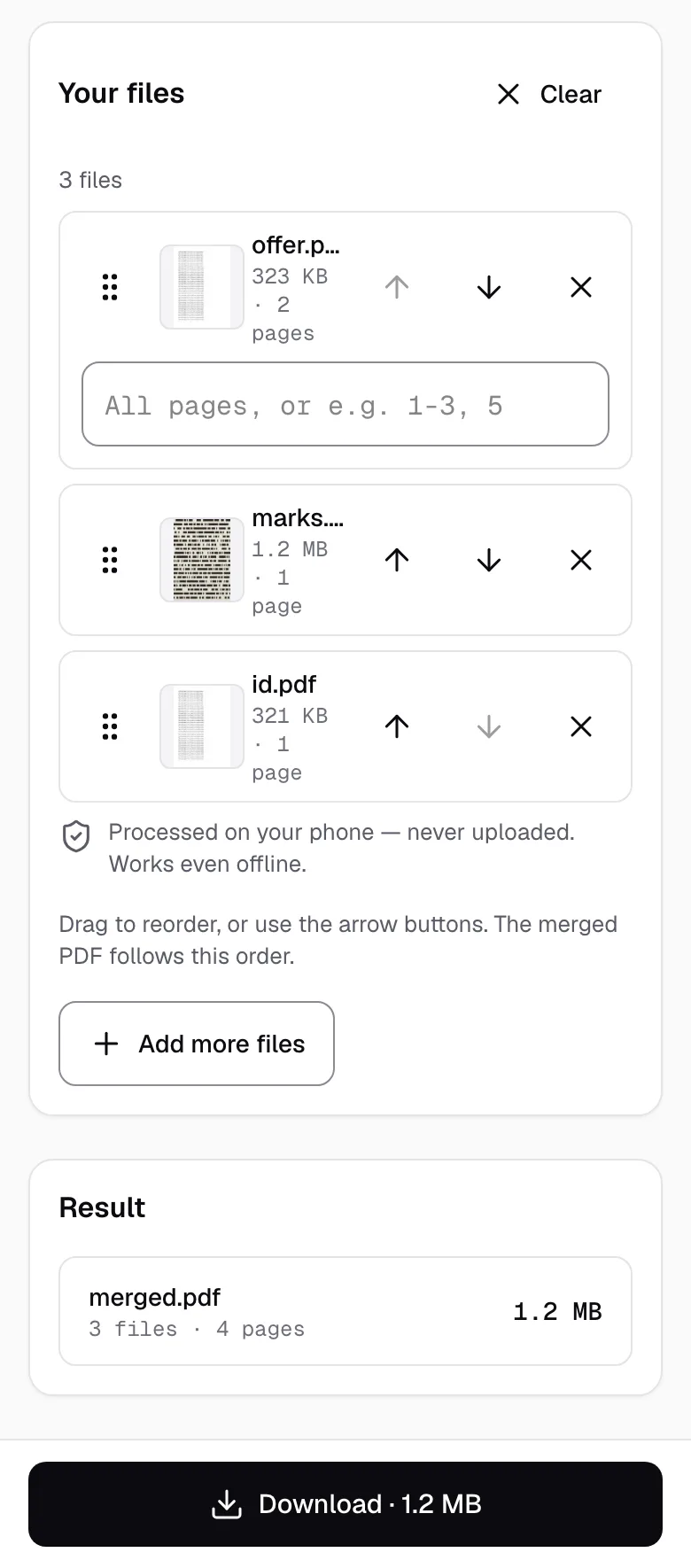
Order and page sizes are respected
The merged file follows your list from top to bottom: every page of the first file, then every page of the second, and so on. Each page keeps its original size and orientation — an A4 certificate stays A4, and a landscape statement stays landscape. Text stays real text: we copy pages across rather than photographing them, so anything selectable stays selectable and the quality does not drop.
Common reasons to merge
- One application file: certificate, marksheet and ID proof as a single upload.
- Portals and offices that ask for one combined PDF instead of many attachments.
- Bank statements from different months joined for a loan application.
- Scanned chapters or class notes collected into one readable file.
Locked and damaged files
A PDF protected with a password asks for its password right in your list; type it once and that file is unlocked on your device and merged with the rest. The password never leaves your phone. A file that will not open at all is marked as damaged, so you know the problem is the file, not the tool.
When the merged file is too big
Merging adds the sizes together: five 2 MB scans become one 10 MB file, and many portals cap uploads at 1 or 2 MB. Run the result through our PDF compressor to get it under the limit your form asks for, or check it against an exam's exact rules with the upload checker before you submit.
Questions people ask
How many PDFs can I merge at once?
You can add up to 50 files in one go. There is no fixed page limit beyond your device's memory — on most phones a few hundred pages merge comfortably.
Do my files get uploaded to a server?
No. The merging happens entirely in your browser, on your own device. Your files never leave it, and nothing is kept once you close the page.
Will the quality drop after merging?
No. Pages are copied across unchanged — text stays selectable, images keep their resolution, and every page keeps its exact size and orientation.
Can I merge password-protected PDFs?
Yes. A locked PDF asks for its password in your list; type it and it is unlocked on your device and merged. The password is never uploaded or stored.
Can I mix photos (JPG) and PDFs?
Yes. Add JPG, PNG, WebP or HEIC photos alongside your PDFs; each photo becomes an A4 page in the order you set, so a form, an ID card photo and a certificate can go out as one PDF.