Exam photo: right size, right KB, white background
Resize your photo to any exam's exact size and KB.
Your last job here stopped before it finished
The phone probably ran out of memory. Lighter settings are now on for this tab, so try again — or split a big PDF into parts first.
or drop it here
Your photo never leaves your device.
Output: 200 × 230 px · 20–50 KB
From any photo to a form-ready photograph
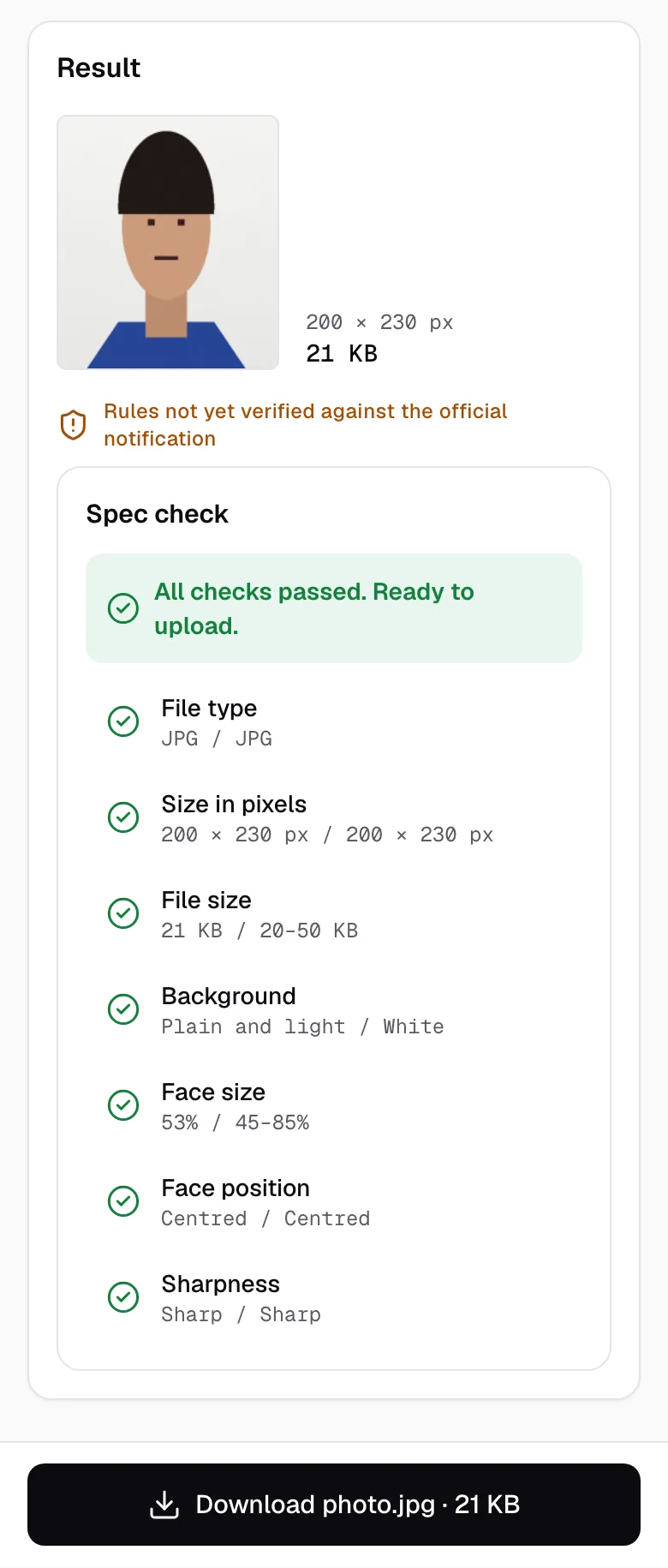
Choose your exam, then add a photo — from your gallery or taken right here with the camera. We find your face, centre it the way form photos expect, make the background white, resize to the exam's exact pixels and bring the file into its KB range, down to the required file name. Then every rule is checked and shown as passed, fixable or blocked, so nothing is left to luck.
What the checks cover
- Pixel size and file size, to the byte, counting KB both ways portals do.
- Real format — a JPG that is actually a JPG, not a renamed PNG.
- Face found and sensibly placed, with a warning if we see none or more than one.
- Background looks plain and light after whitening.
A rule we can fix carries a Fix button; a rule that needs a different photo says so in plain words.
Taking a photo that will pass
The tool fixes a lot, but it cannot invent what the camera did not capture. Two minutes of setup beats any software: stand in front of a plain wall, put the light in front of you (a window works), hold the phone at eye level, and keep your full face visible — the camera screen here shows an oval guide to line up with. Avoid caps and dark glasses; on spectacles, go by your exam's notification.
Any exam, any size
Presets cover IBPS PO, UPSC, NEET UG, SSC, Passport and PAN photographs, each showing when its rules were last checked. For anything else, pick "Other (choose size and KB)" and type the pixels and KB from your notification — scholarship portals, university forms, ID cards all work the same way. Rules change between notifications, so always read the latest official one; we are not affiliated with any government body.
Your face stays on your device
Face detection runs inside your browser — the photo is never uploaded, to us or anyone. The small face-detection engine downloads once and then works even on a weak connection.
The rest of your form
Most forms also want a signature file, and it is worth running finished files through the upload checker before you submit. For non-exam photo jobs, the general image compressor is quicker.
Questions people ask
What kind of photo should I start with?
A recent, front-facing photo against a plain wall, with light on your face. The in-tool camera shows an oval guide; gallery photos work just as well if the face is clear.
Can it really make my background white?
Yes — we separate you from the background and whiten it. If the result looks off (hair against a busy wall, for example), retake against a plainer wall; the checklist will tell you honestly.
My exam isn’t listed. What do I enter?
Choose "Other (choose size and KB)" and type the width, height and KB range from your exam’s notification. Everything else — centring, background, checks — works the same.
Is face detection done on a server?
No. The face model runs inside your browser on your device. Your photo never leaves it.
Why does it warn me about my spectacles or cap?
Caps and dark glasses are rejected by most forms. For spectacles, rules differ by exam — check your notification, and retake without them if in doubt.